How to Prepare Your Repository for OpenAI Codex in 2026
Prepare a repository for Codex with layered AGENTS.md instructions, trusted project configuration, sandbox and approval boundaries, executable rules, skills, MCP servers, and clean-session validation.
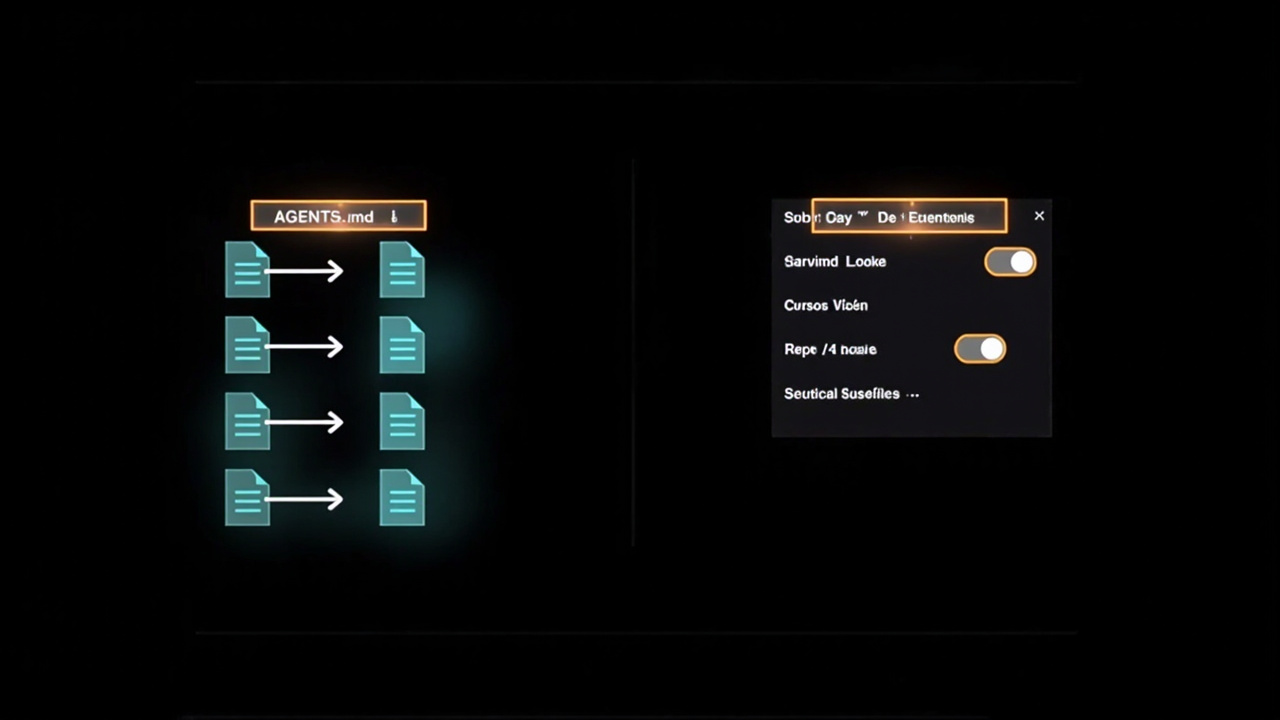
How to Prepare Your Repository for OpenAI Codex in 2026
A repository is ready for Codex when a fresh agent can discover the right instructions, work inside explicit technical boundaries, run the correct checks, and return evidence that another person or session can verify.
That is different from writing a better prompt.
Codex now spans the CLI, IDE extension, web, and desktop app. The old description of Codex as merely a model behind GitHub Copilot is no longer accurate. The current product has its own instruction discovery, layered configuration, OS-enforced sandbox, approval policies, executable command rules, reusable skills, and MCP integrations.
This guide follows OpenAI’s current documentation for AGENTS.md discovery, configuration, sandboxing and approvals, rules, skills, MCP, and Codex best practices.
The short answer
Prepare the repository in this order:
- Add a concise root
AGENTS.mdcontaining the durable repository contract. - Add nested
AGENTS.mdorAGENTS.override.mdfiles only where a subtree needs different guidance. - Put shared Codex settings in
.codex/config.toml, and remember that project configuration loads only after the project is trusted. - Use
workspace-writepluson-requestapprovals as the normal local starting point. - Use
.codex/rules/*.rulesfor executable command policy, not for architectural documentation. - Put repeatable workflows in
.agents/skills/<name>/SKILL.md. - Add only the MCP servers the repository genuinely needs, with credentials referenced through environment variables or OAuth.
- Verify the entire setup from a clean session and rerun the required checks independently.
A practical repository can stay small:
repository/
├── AGENTS.md                         # portable repository contract
├── docs/
│   ├── architecture.md
│   └── decisions/
├── scripts/
│   └── validate.sh
├── services/
│   └── payments/
│       └── AGENTS.override.md        # local replacement for this subtree
├── .agents/
│   └── skills/
│       └── verify-change/
│           └── SKILL.md
└── .codex/
    ├── config.toml                   # trusted project configuration
    └── rules/
        └── repository.rules          # command policy
Each file has one job: instructions explain, configuration selects behavior, the sandbox limits access, rules govern command escalation, skills package workflows, and tests prove outcomes.
Codex reads AGENTS.md through a defined instruction chain
Codex reads AGENTS.md before doing any work. The discovery order matters because a file can appear correct while never entering the active instruction chain.
Codex first checks its home directory, normally ~/.codex unless CODEX_HOME points elsewhere. At that level, AGENTS.override.md replaces AGENTS.md when both exist.
Inside a project, Codex starts at the repository root and walks toward the directory where the session was launched. In every directory on that path, it checks:
AGENTS.override.md;AGENTS.md;- configured fallback filenames.
It includes at most one file per directory. Files closer to the current working directory appear later in the combined instructions, so their guidance takes precedence over broader files.
For example:
repository/
├── AGENTS.md
└── services/
    ├── AGENTS.md
    └── payments/
        ├── AGENTS.md
        └── AGENTS.override.md
If Codex starts in services/payments, the active project chain contains the root AGENTS.md, the services/AGENTS.md, and services/payments/AGENTS.override.md. The regular services/payments/AGENTS.md is ignored because the override exists in the same directory.
Codex skips empty files and stops when the combined project instructions reach project_doc_max_bytes, which defaults to 32 KiB. Do not solve that limit by turning the root file into a denser encyclopedia. Keep the root as a map and place specialized guidance near the code it governs.
What belongs in the root AGENTS.md
The root file should answer the questions that apply to almost every task.
Purpose and entry points
Tell Codex what the repository owns and where to begin.
# Repository contract

This service receives subscription events, calculates billing state, and
publishes immutable ledger entries.

## Read first

- `src/http/` owns request parsing and authentication.
- `src/billing/` owns billing decisions.
- `docs/architecture.md` describes event flow and retry behavior.
- `docs/decisions/` records accepted architectural decisions.
Sources of truth
Name the authoritative artifact for each important contract.
## Sources of truth

- Public API: `openapi/api.yaml`
- Database schema: `db/schema.sql`
- Generated client source: `openapi/api.yaml`, not `src/generated/`
- Accepted architecture decisions: `docs/decisions/`
- Release workflow: `.github/workflows/release.yml`
Without this map, Codex can update a generated file while leaving its source unchanged, or infer behavior from an example that is no longer authoritative.
Ownership and safety boundaries
Be explicit about where the task may stop.
## Boundaries

- Do not edit `src/generated/`; run `npm run generate` from its source.
- Do not create or apply database migrations without review.
- Do not change authentication, billing, secrets, or deployment policy unless the task names that surface.
- Stop when the requested change crosses an API contract outside the stated scope.
These instructions steer Codex, but they do not enforce security. Enforcement belongs in the sandbox, approvals, rules, and CI.
Exact validation commands
“Run the tests” is not an executable contract.
## Validation

- Application change: `npm test && npm run typecheck && npm run build`
- API contract change: `npm run test:contract`
- Database change: `npm run migration:validate`, then request review
- Documentation-only change: `npm run lint:docs`
Scripts and CI remain the source of truth. AGENTS.md tells Codex which proof applies to the current change.
Handoff requirements
Define what must survive after the session ends.
## Handoff

Report:
- files changed;
- commands run and their results;
- checks not run;
- assumptions made;
- residual risks;
- one recommended next action.
The coding-agent handoff template expands this into a reusable checkpoint across Codex, Claude Code, Cursor, and clean sessions.
Use nested instructions for local differences
A monorepo should not load payment migration rules into a documentation task.
Use a nested AGENTS.md when a subtree adds guidance to the broader repository contract. Use AGENTS.override.md when that directory must replace the regular instruction file at the same level.
# services/payments/AGENTS.override.md

## Payments rules

- Run `make test-payments`, not the root `npm test` command.
- Preserve idempotency keys across every retry path.
- Never rotate credentials or apply migrations from an agent session.
- Include a rollback note for every schema or queue change.
Launch location is part of the configuration. Codex stops its project walk at the current working directory, so start the session from the directory whose local instructions should apply.
Use AGENTS.override.md sparingly. An override is easy to misunderstand because it suppresses the regular file beside it. Prefer additive nested guidance unless replacement is intentional.
Separate personal config from trusted project config
Codex configuration has multiple layers.
Personal defaults live in:
~/.codex/config.tomlRepository-specific settings live in:
.codex/config.tomlThe CLI and IDE extension share these layers. Project files load from the repository root down toward the current directory, with the closest value winning. They load only when the project is trusted.
That trust boundary is important. An untrusted repository cannot silently activate its project-local .codex/config.toml, hooks, or rules. User and system configuration still apply.
A conservative shared project file can be short:
approval_policy = "on-request"
sandbox_mode = "workspace-write"
web_search = "cached"

[sandbox_workspace_write]
network_access = false
Keep model preference, provider authentication, personal profiles, notifications, and telemetry routing in user-level configuration. Codex ignores several machine-local keys when they appear in a project file.
Do not copy a giant sample configuration into every repository. Commit only the settings the project needs to share.
Sandbox mode and approval policy solve different problems
Codex security has two cooperating layers:
- Sandbox mode defines what a generated command can technically access.
- Approval policy defines when Codex must pause before an action.
For a version-controlled local repository, the normal starting point is:
approval_policy = "on-request"
sandbox_mode = "workspace-write"
In this mode Codex can read files, edit inside the workspace, and run workspace commands. It needs approval to leave the sandbox, such as writing elsewhere or using network access that is not enabled.
For planning or review-only work, use:
approval_policy = "on-request"
sandbox_mode = "read-only"
For non-interactive read-only analysis:
approval_policy = "never"
sandbox_mode = "read-only"
Do not use danger-full-access as a convenience default. Removing both the sandbox and approvals makes every readable credential and reachable system part of the task’s trust boundary.
Network access is off by default under workspace-write. Enable it only when the repository workflow requires it:
[sandbox_workspace_write]
network_access = true
Even then, treat fetched content as untrusted. A package page, issue body, or web result can contain instructions that do not belong to the task.
AGENTS.md explains; rules enforce command policy
A line in AGENTS.md such as “do not publish releases” is guidance. It is not a command-control boundary.
Codex rules can decide whether a command prefix is allowed outside the sandbox, requires a prompt, or is forbidden. Project-local rules live beside an active project config layer:
.codex/rules/repository.rulesRules are experimental, so keep them small and test them.
prefix_rule(
    pattern = ["gh", "pr", ["view", "list"]],
    decision = "allow",
    justification = "Read-only pull request inspection is allowed",
    match = [
        "gh pr view 123",
        "gh pr list --state open",
    ],
    not_match = [
        "gh pr merge 123",
    ],
)

prefix_rule(
    pattern = ["gh", "release", "create"],
    decision = "forbidden",
    justification = "Use the reviewed release workflow instead of publishing from an agent session",
)
When multiple rules match, the most restrictive decision wins: forbidden, then prompt, then allow.
Test the policy before relying on it:
codex execpolicy check --pretty \
  --rules .codex/rules/repository.rules \
  -- gh pr view 123 --json title,body
Keep formatting and correctness checks in CI. Use Codex rules for execution policy, not as a second linter configuration.
Put reusable workflows in .agents/skills
The current repository-scoped skills path is .agents/skills, not .codex/skills.
A skill packages a focused workflow with optional scripts, references, and assets:
.agents/
└── skills/
    └── verify-change/
        ├── SKILL.md
        ├── scripts/
        └── references/
---
name: verify-change
description: Verify a repository change before handoff.
---
# Verify change
1. Inspect the diff and classify every changed surface.
2. Select commands from the repository validation matrix.
3. Run narrow checks first, then required aggregate checks.
4. Report commands, results, omissions, assumptions, and residual risks.Codex initially sees skill names, descriptions, and paths, then loads the full SKILL.md only when a skill is selected. That progressive disclosure keeps reusable procedures available without injecting every workflow into every task.
Use a skill when the procedure requires judgment or reusable reference material. Use a deterministic script when exact behavior matters. Use AGENTS.md for always-relevant repository instructions.
The repository-harness pattern language shows how these pieces fit into a larger operating system for agent work.
Add MCP servers as bounded capabilities
MCP connects Codex to external tools and context. A repository might use it for current documentation, Figma designs, browser inspection, error monitoring, or GitHub operations.
Codex stores MCP configuration in config.toml. A trusted repository can scope servers in .codex/config.toml, while personal servers belong in ~/.codex/config.toml.
A local documentation server might look like this:
[mcp_servers.context7]
command = "npx"
args = ["-y", "@upstash/context7-mcp"]
A remote server should reference credentials through the environment:
[mcp_servers.design]
url = "https://mcp.example.com/mcp"
bearer_token_env_var = "DESIGN_MCP_TOKEN"
enabled_tools = ["read_file", "get_screenshot"]
default_tools_approval_mode = "writes"
Do not commit tokens. Do not expose every server tool by default. Prefer an explicit tool allowlist, define approval behavior for writes, and set a server as required = true only when the repository cannot operate correctly without it.
Useful verification commands include:
codex mcp listInside the TUI, /mcp shows active servers. Verify the expected server and tools before assigning a task that depends on them.
MCP expands capability, not authority. The task scope, repository contract, sandbox, approvals, and human review still apply.
Prepare the environment and validation loop
Instructions cannot rescue a repository that does not build.
Before delegating meaningful work to Codex:
- make dependency installation deterministic;
- keep the documented setup command current;
- provide fixtures or seeds for local tests;
- separate fast targeted checks from slower aggregate checks;
- make generated files reproducible;
- ensure CI runs the same commands documented for agents;
- provide a disposable environment for migrations and destructive tests.
A simple wrapper reduces ambiguity:
./scripts/validate.sh application
./scripts/validate.sh contract
./scripts/validate.sh docs
The wrapper should return a non-zero exit code on failure and print enough context to diagnose the next action. Codex can reason about a failing check only when the failure is visible and reproducible.
For long tasks, ask Codex to keep checkpoints small and reviewable. The Git worktrees guide explains how to isolate concurrent work, while the integration guide covers dependency order and combined proof.
Verify the setup in a clean Codex session
Do not test new repository instructions only inside the conversation that created them. That session already knows the missing context.
Start a new Codex session from the intended directory. First confirm the workspace and instruction behavior:
Summarize the active repository instructions in precedence order.
Name the sources of truth, files you must not edit directly, and validation commands for an application change.
Do not modify files.
OpenAI’s documented CLI check is:
codex --ask-for-approval never "Summarize the current instructions."For a nested directory:
codex --cd services/payments --ask-for-approval never \
  "Show which instruction files are active. Do not modify files."
Then run a bounded task and review five things:
- Did Codex stay inside the named scope?
- Did it use the authoritative source rather than editing generated output?
- Did it run the change-type checks defined by the repository?
- Did it distinguish a sandbox or approval boundary from an implementation failure?
- Did the handoff report evidence, omissions, assumptions, and residual risks?
Rerun the required checks independently. Inspect the diff as you would any human pull request.
A repository is not ready because Codex produced a plausible patch once. It is ready when a clean session can repeatedly discover the contract, choose the correct workflow, stay within the boundary, and prove the result.
Migration checklist for an older Codex setup
Older repository guides often mix current and retired assumptions. Update them in this order.
1. Correct the product model. Describe Codex as a coding-agent product across CLI, IDE, web, and app surfaces, not merely as a model inside Copilot.
2. Establish the root contract. Put repository-wide purpose, sources of truth, boundaries, validation, and handoff rules in AGENTS.md.
3. Audit instruction precedence. Search for unexpected AGENTS.override.md files and confirm the session launches from the intended directory.
4. Split local guidance. Move service-specific rules into nested instruction files rather than growing one root encyclopedia.
5. Add trusted project configuration. Commit only the shared keys the project actually needs in .codex/config.toml.
6. Separate safety layers. Keep prose in AGENTS.md, technical access in the sandbox, approval timing in approval_policy, and command escalation policy in .codex/rules/.
7. Move reusable procedures. Put repeatable workflows under .agents/skills/, not a made-up .codex/skills/ path.
8. Minimize integrations. Keep only necessary MCP servers and tools; reference secrets through approved credential sources.
9. Run the clean-session gate. Verify instruction discovery, project trust, active MCP servers, one bounded change, independent validation, and the final handoff.
Quick checklist
Before the next Codex session:
- Root
AGENTS.mdexists and stays concise. - The root file names purpose, entry points, sources of truth, boundaries, validation, and handoff evidence.
- Nested instructions exist only where local behavior differs.
- Every
AGENTS.override.mdis intentional. - The combined instruction chain stays below the configured byte limit.
- Shared project settings live in
.codex/config.toml. - The repository is trusted before project-local config, hooks, or rules are expected to load.
- The normal local policy is no broader than
workspace-writewithon-requestapprovals. - Network access is off unless the workflow requires it.
- Executable command policy lives in tested
.codex/rules/*.rulesfiles. - Repository skills live under
.agents/skills/. - MCP credentials are not committed.
- CI and
AGENTS.mdpoint to the same validation commands. - A clean session can explain the contract before editing.
- Independent validation reproduces the agent’s handoff evidence.
Use repository-harness to bootstrap the portable instructions, validation contracts, decision memory, task boundaries, and evidence handoffs around this Codex-specific configuration.
Related pages
- How to Prepare Your Repository for Claude Code — compare Codex-native
AGENTS.mddiscovery with Claude Code’sCLAUDE.mdentry point - AGENTS.md vs Cursor Rules — separate portable repository truth from tool-specific behavior
- How to Write an AGENTS.md That Actually Works — design the shared repository contract
- Context Engineering for Coding Agents — place durable context in the correct layer
- How to Audit a Repository for Agent-Readiness — score the full operating surface
- How to Manage Multiple Coding Agents in One Repository — coordinate Codex with Claude Code, Cursor, and other agents
FAQ
Does OpenAI Codex read AGENTS.md automatically?
Yes. Codex reads an instruction chain before it starts work. It checks global guidance under the Codex home directory, then walks from the repository root toward the current working directory, loading at most one instruction file per directory. AGENTS.override.md wins over AGENTS.md in the same directory, and guidance closer to the working directory takes precedence.
Where should project-specific Codex configuration live?
Put shared repository-specific configuration in .codex/config.toml and personal defaults in ~/.codex/config.toml. Codex loads project .codex layers only for trusted projects. A project file cannot override machine-local authentication, provider, notification, profile-selection, or telemetry settings.
Are AGENTS.md safety instructions enforced?
No. AGENTS.md changes the instructions Codex follows, but it is not a security boundary. Use the sandbox to limit technical access, approval policy to control when Codex must stop, and executable rules to allow, prompt for, or forbid command prefixes outside the sandbox.
Where do repository-scoped Codex skills live?
Repository-scoped skills live under .agents/skills, not .codex/skills. Each skill is a directory containing SKILL.md and optional scripts, references, and assets. Codex scans .agents/skills from the current working directory up to the repository root.
Should a repository commit MCP credentials?
No. A trusted project can commit MCP server definitions in .codex/config.toml, but credentials should come from environment-variable references, OAuth, or another approved credential source. Never put bearer tokens or secrets directly in repository configuration.
What is a safe default Codex execution policy?
For a version-controlled repository, the normal local preset is workspace-write with on-request approvals. It allows edits and commands inside the workspace while preserving approval boundaries for actions outside the sandbox or network access. Keep network access off unless the task needs it.
How do I verify that a repository is ready for Codex?
Start a fresh Codex session from the intended directory, confirm the workspace root and active instruction chain, ask Codex to identify boundaries and validation commands before editing, give it one bounded task, and independently rerun the required checks. The final handoff should report changed files, commands and results, omitted checks, assumptions, and residual risks.